Grafana and Azure: protect your access key after CVE-2026-88967
In short: an access key can come out the wrong way
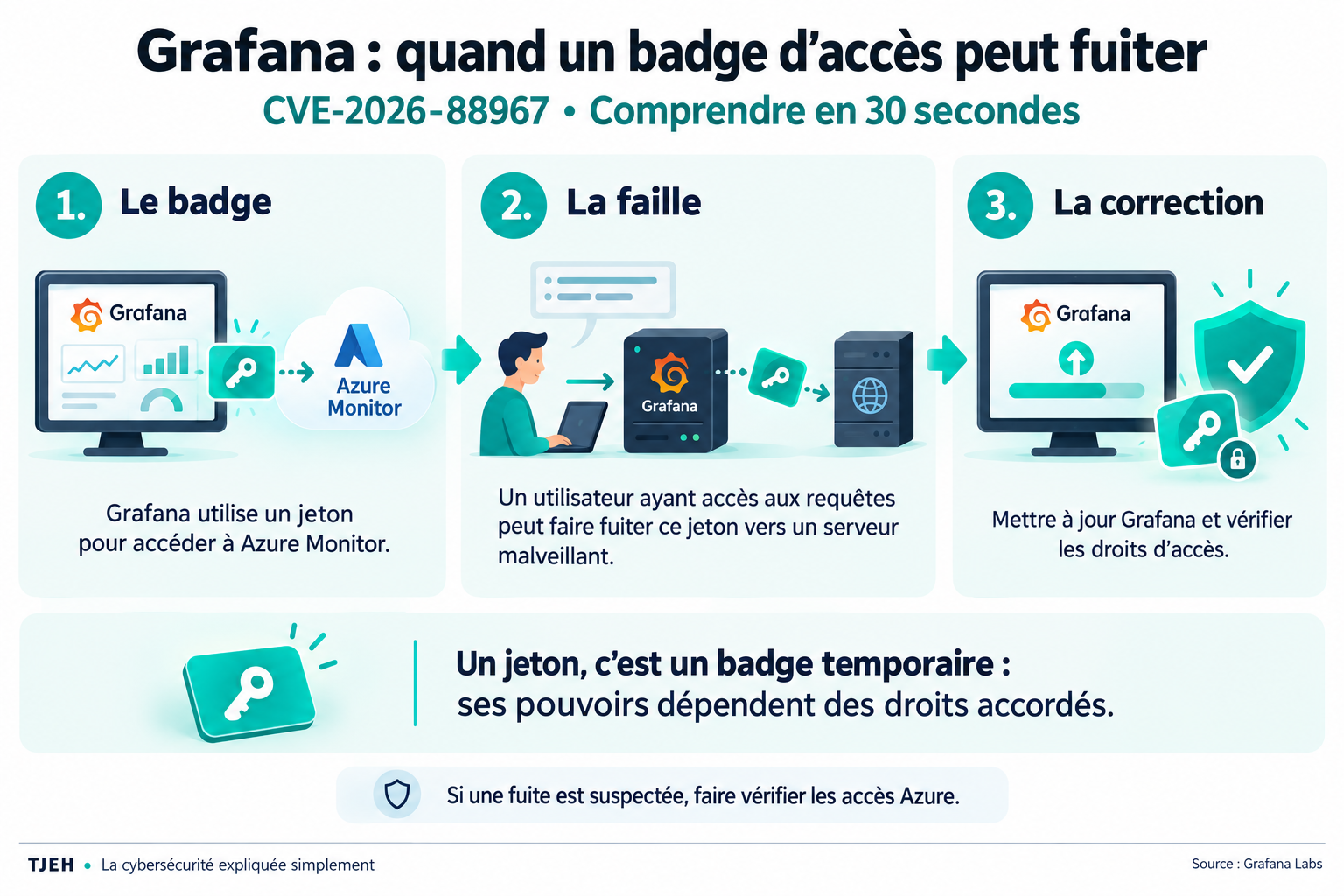
Grafana is used to gather indicators in dashboards: server status, errors and application availability. Some companies link it to Azure Monitor, Microsoft's monitoring service.
With CVE-2026-88967, a user authorized to query this data source can cause Grafana to contact an attacker-controlled server and disclose this source's Azure access token. A token is a bit like a temporary badge: what it allows depends on the rights associated with it.
The Grafana Labs notice is dated October 27, 2026; the NVD sheet was published on October 28. The publisher assigns high severity, 7.7/10. This score describes technical severity, not proof that your business is under attack.
Is your business affected?
Ask your IT team or vendor: “Are we using Grafana with an Azure Monitor source?” What version is installed and who can query this source? »
The access condition is important: the described scenario requires query rights on the Azure Monitor source. This flaw should therefore not be presented as an automatic takeover by any visitor.
Which versions to install?
The corrected thresholds indicated by Grafana Labs for recent branches are:
| Branch used | Corrected version from |
|---|---|
| 12.4 | 12.4.14 |
| 13.0 | 13.0.12 |
| 13.1 | 13.1.9 |
| 13.2 | 13.2.5 |
Unaffected versions and fixed versions: what's the difference? The range "< 10.0.0" displayed in the Grafana advisory designates versions not affected by this CVE. It does not mean that a new patch has been released for these older versions. Conversely, the versions of the table above integrate the correction into the branches concerned. A version not affected by this flaw may present other vulnerabilities or no longer be maintained: it is therefore not a recommendation to revert to an earlier version.
For an older version, validate a migration path to a maintained branch. Do not revert to an old version just because it is not affected by this CVE.
Correct by limiting the interruption
Here is a practical approach proposed by TJEH, to adapt to your installation:1. Take inventory. Note the version, installation mode, extensions and connections used. Designate the person who will carry out the update. 2. Prepare to roll back. Back up the database and configuration according to your deployment. Check that you know how to restore them; Keeping just the old software image may not be enough after a basic migration. 3. Test on a copy. Check dashboards, rights, Azure Monitor and alerts with the patched version, before hitting production. 4. Plan for change. On a single instance, plan for a short maintenance window. With multiple instances, a gradual update may be possible if the architecture and version compatibility allow it. There is no universal guarantee of zero interruption. 5. Check after update. Confirm the version actually running, open the dashboards and test an alert. Monitor errors and document the result.
While waiting for the fix, re-examine access to the Azure Monitor source and remove unnecessary rights. This is a reduction in exposure, not a replacement for the update.
What if a token has already been exposed?
The update closes the vulnerability; it is not enough to treat a previous leak. If you suspect an incident, have the person responsible for security review the Grafana and Azure logs. Depending on the authentication method used, it will be able to determine the appropriate revocation or renewal measures and search for possible abnormal access. Never copy a token in a public ticket or in an email.
Official sources
- Grafana Labs: security advisories and fixed versions
- NVD: CVE-2026-88967 sheet and score provided by Grafana Labs
Sources consulted on October 28, 2026. The deployment advice above is general TJEH recommendations: your service provider must adapt them to your environment.